← All changes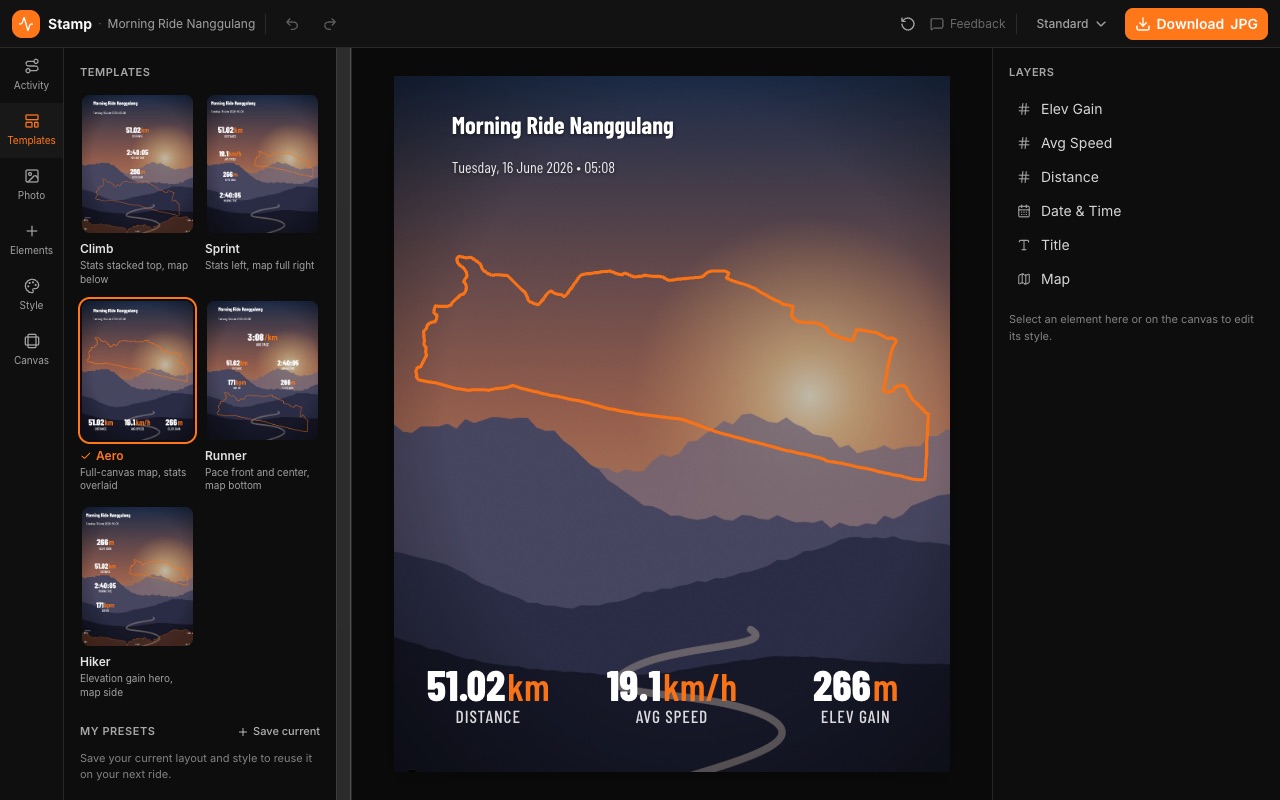
October 3, 2026
StampA roomier Stamp editor: one-click templates with live previews, swap your activity file mid-edit, and sizes picked by where you're posting.
The canvas gets the room it needs: tools sit in a slim rail on the left with one panel open at a time, and everything on your image is listed on the right — click a name to edit it.
- Templates apply in one click. Each thumbnail is drawn from your own ride, photo and style, so what you see is what you get — and Undo is right there if you change your mind.
- Swap the GPX or FIT file mid-edit from the new Activity tab. Your layout, style and photo stay put; the numbers, route and elevation update.
- Pick a size by where you're posting — Feed portrait, Square, Story / Reels, Landscape or Link post — with the exact pixel size shown. Stories export at a full 1080×1920, and new images start as a 4:5 feed portrait.
- On your phone, the canvas gets the screen. Fold the tool panel away with the arrow in the corner of the canvas, or tap the open tab again.